Mail on Mac
Inserted for reviewYou say
hi Anna thanks for your suggestion can we discuss it on Thursday
Professional writing mode · Pro
Hi Anna, thanks for your suggestion. Can we discuss it on Thursday?
Voice typing for iPhone and Mac.
Turn your voice into writing in Danish, Norwegian Bokmål, Swedish, Finnish, Icelandic or English on iPhone and Mac.
Internet connection required. Try dictation as a guest.

Dansk · Accurate
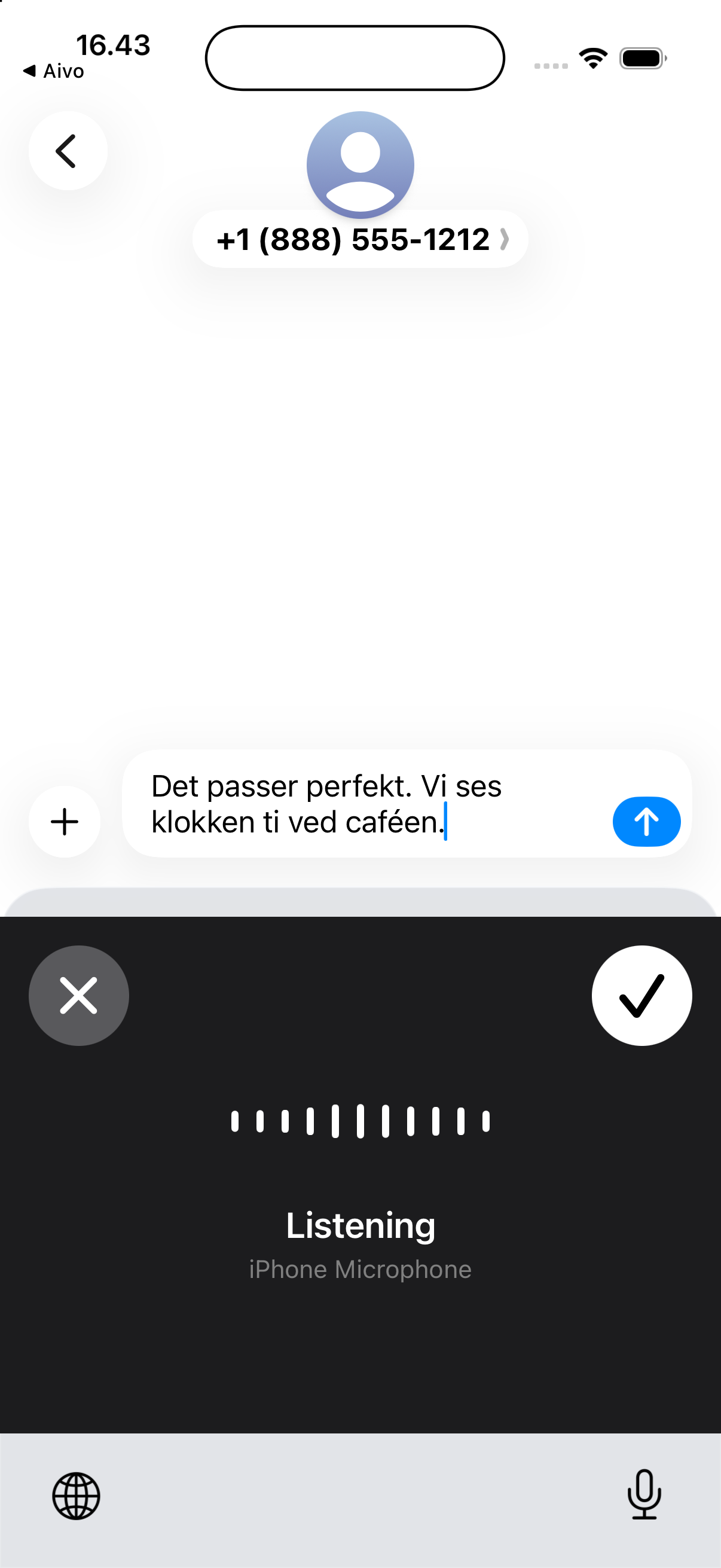
Danish dictation example
Dictation, step by step
Choose a language and see an example. Accurate mode preserves the wording it recognizes; Pro writing modes polish only when you select them.
01 · Speak naturally
That works perfectly. See you at ten at the café.
02 · Text appears
That works perfectly. See you at ten at the café.
Written into the app you are using, in Accurate mode.
03 · Ready to review
That works perfectly. See you at ten at the café.
Checked by you
Review before you send.
Mac and prompts
Speak a draft or a prompt. Aivo inserts it into the app you are using, ready for review.
You say
hi Anna thanks for your suggestion can we discuss it on Thursday
Professional writing mode · Pro
Hi Anna, thanks for your suggestion. Can we discuss it on Thursday?
Text in the prompt field
Explain the project to a new colleague in three short points.
Personal tools
Your own names, terms and shortcuts, saved to your account and available on iPhone and Mac.
Setup
Install Aivo on iPhone or download the Mac app. You can try dictation as a guest before signing in.
Choose from five Nordic languages and English. Sign in with Apple to use the same account on iPhone and Mac.
On iPhone, add the Aivo keyboard and enable Full Access and microphone access. On Mac, allow microphone and Accessibility access, then use the Aivo shortcut.
Start free. See the price before you subscribe. Existing subscriptions keep their price.
1,000 words per week
For trying voice writing in your daily routine.
Euro-area Mac price. For people with more to say.
iPhone prices and trial eligibility are shown in the App Store purchase screen and may vary by country.
14 days for 2–5 people. No card required. No automatic charges.
60 minutes of dictation per person for the whole trial.
Up to 5 minutes per recording and 250 AI text-processing actions per person, including automatic language normalization and text cleanup. Read the trial limits
12 months for the price of 10
per person, per month
Minimum two people · 198 DKK/month
Monthly billing based on your company country: EUR in Finland, SEK in Sweden, NOK in Norway, ISK in Iceland and DKK elsewhere. No setup fee. Review your seat count and total before payment.
New Mac subscriptions: Denmark DKK 79/month; Norway NOK 99; Sweden SEK 99; Finland €9.99; Iceland ISK 1,450. The euro-area Mac price is €9.99/month. Your local currency and total are confirmed before payment. Existing subscriptions keep their current price and currency.
Already subscribed? Sign in with the same Apple account on both apps. If Pro is missing, contact us before buying another subscription.
Speak naturally and choose the language you’re using. Aivo can clean up filler words and punctuation. Writing modes can help with tone and structure. Names, accents and mixed-language speech can still need a correction.
Aivo works in compatible text fields: through its keyboard on iPhone and text insertion on Mac. iOS can use the system keyboard for secure fields or apps that block third-party keyboards. Setup permissions are required.
Audio is sent over an encrypted connection for cloud transcription. Writing modes also send text for processing. The new app updates provide account-bound recent history and local controls to limit new saved dictation content. Existing history and earlier recovery archives are separate. Availability differs between Mac and iPhone; see the privacy policy for rollout status and controls. Current processing is global, with no EU-only or universal zero-retention guarantee. Privacy
For purchases through Apple, use your Apple subscription settings and purchase history. For Mac purchases through Stripe, open Account → Billing & invoices in Aivo. If you need help, email team@aivolabs.eu.